


The way we work has changed, and for many organisations across the UK, remote and hybrid working are now a permanent part of operations. While this shift has brought flexibility and improved work-life balance for employees, it has also introduced a new set of workplace health risks that are often overlooked. Unlike traditional office environments, where workstations are designed with ergonomics in mind, home setups are rarely assessed or optimised to the same standard.
As a result, issues such as back pain, neck strain, and repetitive strain injuries are becoming more common among remote workers. These are not minor discomforts. Over time, they develop into long-term musculoskeletal disorders that affect both employee well-being and business performance. Understanding remote work ergonomics and taking proactive steps to manage these risks is now essential for any responsible employer.
What Is Remote Work Ergonomics and Why It Matters
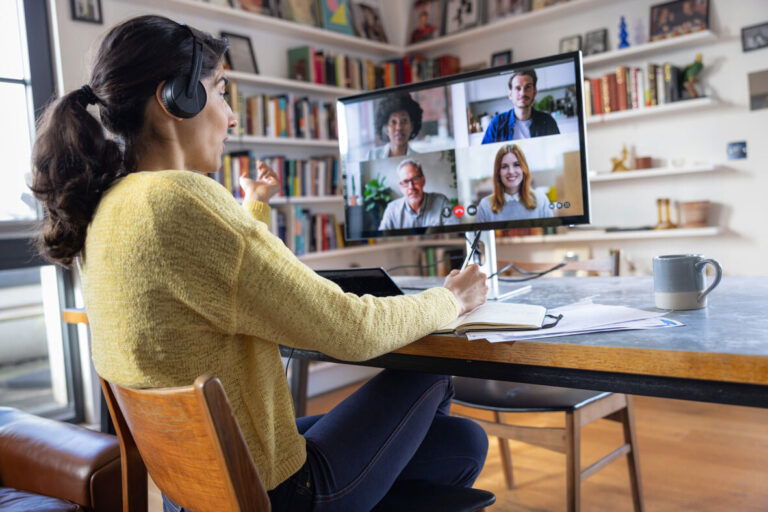
Remote work ergonomics focuses on designing and adjusting a home workspace to support the body’s natural posture and movement. In an office, this is often managed through structured workstation assessments, ergonomic furniture, and clear health and safety policies. At home, however, employees may be working from dining tables, sofas, or even beds, without the correct support or awareness of safe working practices.
This difference creates a gap in risk management. Poor ergonomics places strain on muscles, joints, and tendons, leading to discomfort, fatigue, and reduced efficiency. Over time, this increases the likelihood of musculoskeletal disorders, which are one of the leading causes of work-related ill health in the UK. Employers still hold a duty of care under the Health and Safety at Work Act, regardless of where their employees are based. This makes remote ergonomics not only a well-being issue but also a compliance priority.
Common Ergonomic Risks in Remote Working
Remote working often leads to improvised workspaces that are not designed for prolonged use. One of the most common issues is poor seating. Many employees use dining chairs or soft seating that lack lumbar support, which places strain on the lower back. Over time, this leads to persistent back pain and poor posture habits. Another frequent concern is incorrect screen positioning. Laptops placed on low surfaces force employees to look down for extended periods, increasing strain on the neck and shoulders. Combined with long hours of sitting and minimal movement, this creates a cycle of physical discomfort and fatigue.
Repetitive tasks, such as typing without proper wrist support, contribute to repetitive strain injuries affecting the hands and arms. Eye strain is also common, particularly in poorly lit environments where screen glare or brightness is not adjusted. These risks often develop gradually, which means they are easy to ignore until they begin to impact productivity and overall health.
Signs Your Remote Workforce May Be at Risk
One of the challenges with remote working is the lack of visibility. Managers may not notice early signs of discomfort or strain, and employees may not report issues until they become more serious. This makes it important to recognise the indicators of poor ergonomics. Employees may experience persistent neck stiffness, lower back pain, or wrist discomfort during or after work. Headaches and eye fatigue are also common signs linked to screen positioning and lighting issues. Beyond physical symptoms, there may be a noticeable decline in productivity or increased errors in tasks that require concentration.
Absenteeism and presenteeism are also key indicators. Employees may take time off due to pain or continue working while unwell, which affects performance and recovery. Addressing these signs early through structured support reduces long-term impact and supports a healthier workforce.
Home Work Ergonomic Tips for Employees
Simple adjustments can significantly improve comfort and reduce the risk of injury when working from home. Employees should aim to maintain a neutral posture, where the back is supported, feet are flat on the floor, and knees are at a right angle. Chairs with proper lumbar support are ideal, but where this is not available, cushions can be used to support the lower back. Screens should be positioned at eye level to avoid strain on the neck. For laptop users, this often means using a laptop stand or placing the device on a raised surface, combined with an external keyboard and mouse. This allows the arms to rest comfortably at elbow height and reduces strain on the wrists and shoulders.
Regular movement is equally important. Sitting for prolonged periods places continuous pressure on the spine and muscles. Short breaks every 30 to 60 minutes, combined with simple stretching exercises, help maintain circulation and reduce stiffness. Lighting should also be considered, with screens positioned to avoid glare and reduce eye strain. These work-from-home ergonomic tips form the foundation of safer remote working practices.
How Employers Can Prevent Injury in Remote Working
Preventing injury in remote working requires a structured and proactive approach. Employers cannot assume that employees have safe working environments at home. Instead, they must take steps to assess and manage risks in line with UK health and safety standards. Remote workstation assessments are a practical starting point. These assessments identify risks in an employee’s setup and provide tailored recommendations for improvement. Employers can also support employees by providing ergonomic equipment or allowances for items such as chairs, monitors, or accessories.
Training plays a key role in prevention. Employees should be educated on correct posture, workstation setup, and the importance of regular movement. Clear policies that encourage breaks and outline expectations for safe working practices help reinforce these behaviours. Creating an open culture where employees feel comfortable reporting discomfort or concerns is equally important. Early intervention reduces the likelihood of long-term injury and supports a healthier, more engaged workforce.

Role of Occupational Health in a Remote Workforce
Occupational health services play a critical role in supporting remote workforce ergonomics. With reduced physical oversight in home environments, professional guidance becomes essential in identifying risks and implementing effective solutions. Remote ergonomic assessments provide employees with expert advice on improving their workstation setup. These assessments are tailored to individual needs, taking into account the employee’s role, physical condition, and working environment.
Occupational health professionals also support early intervention by addressing symptoms before they develop into more serious conditions. This includes providing guidance on pain management, recommending adjustments, and, where necessary, referring employees for further treatment or physiotherapy. In addition, occupational health services support return-to-work plans for employees recovering from musculoskeletal issues. This ensures that adjustments are in place to prevent recurrence and support a smooth transition back into work.
UK Legal Responsibilities for Remote Worker Safety
Employers in the UK have a legal responsibility to protect the health and safety of their employees, regardless of where they work. This includes remote and home-based workers. The Health and Safety at Work Act places a duty of care on employers to assess risks and implement appropriate control measures. The Display Screen Equipment (DSE) Regulations also apply to remote workers. These regulations require employers to assess workstations, reduce risks, and provide training and information to employees who regularly use display screen equipment.
Failure to address these responsibilities can lead to compliance issues and increased liability. Regular risk assessments, clear documentation, and proactive support demonstrate a commitment to employee wellbeing and help organisations meet their legal obligations.
Business Impact of Ignoring Remote Ergonomic Risks
Ignoring ergonomic risks in remote work has direct, measurable consequences for businesses. Musculoskeletal issues contribute to increased absenteeism, with employees taking time off due to pain and discomfort. Presenteeism, where employees continue working despite health issues, leads to reduced productivity and lower quality output.
There are also financial implications. Long-term health issues increase healthcare costs and may result in compensation claims if risks are not properly managed. Beyond this, poor employee wellbeing affects morale, engagement, and retention, which impacts overall organisational performance. Addressing ergonomic risks is not only a compliance requirement but also a strategic investment in workforce health and productivity.
How Healthscreen UK Supports Remote Workforce Ergonomics
At Healthscreen UK, we provide tailored occupational health solutions designed to support organisations managing remote and hybrid teams. Our remote ergonomic assessments offer practical, personalised guidance to help employees create safer and more comfortable workspaces at home. We work closely with employers to identify risks, implement effective control measures, and support ongoing workforce wellbeing. Our services are flexible and scalable, allowing organisations to integrate ergonomic support into their wider occupational health strategy.
From early intervention to long-term risk management, Healthscreen UK helps businesses reduce workplace injuries, improve productivity, and maintain compliance with UK health and safety standards. Remote working is now a long-term reality for many organisations, and with it comes a responsibility to manage ergonomic risks effectively. Small changes in workstation setup, combined with structured support from employers and occupational health professionals, make a significant difference to employee health and performance.
Taking a proactive approach today reduces the risk of long-term issues tomorrow. Reviewing your current remote working practices and investing in ergonomic support is a practical step towards building a safer, healthier, and more productive workforce.
FAQs
What is remote work ergonomics?
Remote work ergonomics refers to how a home workspace is set up to support safe posture, reduce physical strain, and prevent long-term injury. It focuses on how you sit, where your screen is placed, how your hands rest while typing, and how often you move during the day. Unlike office environments, home setups often lack proper equipment, which increases the risk of musculoskeletal issues if not managed correctly. Good ergonomics helps maintain comfort, improves productivity, and reduces the likelihood of developing chronic pain over time.
How can I improve my home workstation setup?
Start by ensuring your chair supports your lower back and allows your feet to rest flat on the floor. Your screen should be at eye level so your neck stays in a neutral position, and your keyboard and mouse should sit at a height where your elbows remain close to your body. If you use a laptop, consider adding a stand and an external keyboard to avoid hunching forward. Position your screen away from glare and ensure your workspace is well-lit. Alongside setup, build in regular movement by taking short breaks every 30 to 60 minutes to stretch and reset your posture.
Are employers responsible for home office safety in the UK?
Yes, employers remain responsible for the health and safety of their employees, even when they work remotely. Under the Health and Safety at Work Act and Display Screen Equipment (DSE) Regulations, employers must assess risks associated with remote work and take reasonable steps to reduce them. This includes providing guidance on safe workstation setup, offering equipment or financial support where needed, and ensuring employees are trained to work safely. Regular check-ins and access to occupational health support also form part of this responsibility.
What are the risks of poor ergonomics while working from home?
Poor ergonomics often leads to physical strain that builds gradually. Common issues include lower back pain from unsupported seating, neck and shoulder tension from incorrect screen height, and wrist or hand pain linked to repetitive movements without proper support. Eye strain and headaches are also common in poorly lit environments or where screen positioning is not adjusted. Over time, these issues can develop into more serious musculoskeletal disorders, affecting mobility, concentration, and overall work performance.
How does occupational health support remote workers?
Occupational health services provide structured support to identify and manage ergonomic risks in remote settings. This includes remote workstation assessments, where professionals review an employee’s setup and recommend practical adjustments. They also support early intervention by addressing symptoms before they worsen, offering advice on pain management, posture, and work habits. Where needed, occupational health teams coordinate further support such as physiotherapy or rehabilitation plans. For employers, this ensures risks are managed effectively while supporting employee wellbeing and maintaining productivity.